
Silk Mobile
Table of Contents (Homepage)
- Overview
- Setting Up
- Getting Started
- How To
- Connecting Devices And Emulators
- Preparing Applications For Testing
- Managing Applications
- Recording Tests
- Working With Test Commands
- Adding Commands To Your Scripts
- Object Commands
- Click
- ClickCoordinate
- ClickIn
- ClickOffset
- Drag
- ElementGetProperty
- ElementGetTableRowsCount
- ElementListPick
- ElementListSelect
- ElementListVisible
- ElementScrollToTableRow
- ElementSendText
- ElementSetProperty
- ElementSwipe
- ElementSwipeWhileNotFound
- GetAllValues
- GetElementCount
- GetElementCountIn
- GetTextIn
- IsElementBlank
- IsElementFound
- IsFoundIn
- LongClick
- RunNativeAPICall
- SendWhileNotFound
- VerifyElementFound
- VerifyElementNotFound
- VerifyIn
- WaitForElement
- WaitForElementToVanish
- GetCoordinateColor
- DragDrop
- Application Commands
- Device Commands
- Web (Hybrid) Specific Commands
- Utilities Commands
- Monitoring Commands
- Configuration Commands
- ExtractLanguageFiles
- SetDefaultClickDownTime
- SetDefaultTimeOut
- SetDefaultWebView
- SetDragStartDelay
- SetInKeyDelay
- SetKeyToKeyDelay
- SetLanguage
- SetLanguagePropertiesFile
- SetShowImageInReport
- SetShowPassImageInReport
- SetShowReport
- SetSpeed
- SetThrowExceptionOnFail
- SetWebAutoScroll
- StartStepsGroup
- StopStepsGroup
- TextFilter
- Miscellaneous Commands
- Controlling Element Identification Rules
- Editing Test Objects
- Executing Test Scripts
- Report Of Executed Test
- Working From Code Environment
- Continuous Integration
- Layout Verification Tests
- Use Device Vitals Monitors
- Troubleshooting
- Terminology
Failure on seat license activation
Seat License activation process is failing.
Usually this happens when there is network connection problem.
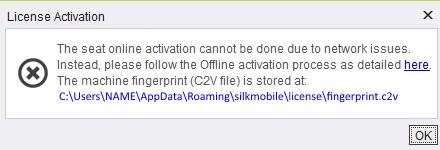
In this case Seat license process is not possible. Offline activation process is needed.
Sentinel Runtime Service
For the license to run on the machine, the sentinel service need to be available. This will indicate the service is not available
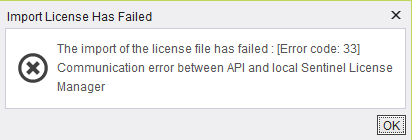
Step 1: Browse to localhost:1947 to view the Sentinel web portal.
Step 2: If you cannot browse to get this page, make sure that the Sentinel license LDK service is running on your machine. Open services and locate it. If it is not running, run it.

Step 3: If it is not there, then you will need to install it on the machine.
Step 4: Download the Sentinel runtime service.
Step 5: Open command line where the haspdinst.exe file is located.
Step 6: Run the command haspdinst.exe -purge to remove any instances of the service.
Step 7: Run the command haspdinst.exe -i to install the service.
Step 8: Repeat step 1 above. Check for the license available and features.
NL License was activated before on a different machine
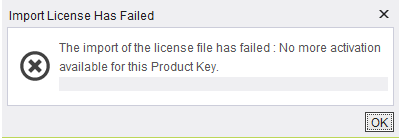
License can be activated on one machine only and is bound to it based on a fingerprint generated during the activation.
It cannot be activated elsewhere without transferring it first.
No License can be found
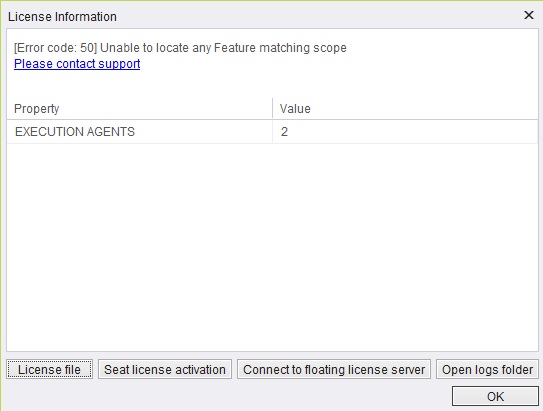
Send us screenshots of the following along with the string key
Also, click Open logs folder and collect the following logs:
-
app.properties
-
error.log